Author: Alessandro Zulberti

  • Signal-Driven Discovery

    Abstract

    Teams say they want continuous discovery, but most of the evidence arriving day to day is fragmentary, delayed, and easy to overread. By the time a drop in conversion, a strange search term, or a support pattern gets noticed, the pressure is already to explain it fast and act faster. The real problem is not lack of data. It is deciding which weak signals deserve interpretation, which need probing, and which should not harden into confident stories.

    When to Use This

    • When behaviour shifts and no single release, campaign, or seasonal factor explains it cleanly
    • When interviews are too slow, too expensive, or too operationally heavy to trigger every time something moves
    • When several weak signals are clustering around the same part of the journey but the problem is still blurry
    • When the next step needs to be a concrete probe or decision, not another round of speculative discussion
    • When quieter absences need tracking alongside the loud anomalies that teams already notice

    The Framework

    1. 01

      Signal

      Notice a shift, absence, or recurring trace that refuses to stay incidental. Name the disturbance without pretending it already explains itself.

      What gets misread here A single anomaly gets treated as insight before its shape, context, or persistence has been checked.

    2. 02

      Triage

      Check whether the signal survives basic context: timing, segment, instrumentation, recent releases, and operational noise. The aim is to decide whether this deserves attention now, later, or not at all.

      What gets misread here Triage becomes explanation, so the team smuggles a favourite cause in before the evidence has narrowed.

    3. 03

      Interpretation

      Read across sources until the pattern becomes legible enough to frame a working explanation. Analytics, search, recordings, verbatims, and support should tighten the same question, not perform agreement theatre.

      What gets misread here Cross-source repetition is mistaken for certainty, even when each source is echoing the same blind spot.

    4. 04

      Probe

      Push the interpretation hard enough to expose where it fails. A probe can be a fast analysis cut, a counter-question, a lightweight experiment, or a small piece of qualitative follow-up.

      What gets misread here Any probe that confirms the first hunch is taken as validation, while disconfirming evidence is treated as noise.

    5. 05

      Decision

      Translate the strongest remaining reading into a concrete move: test, content change, design change, escalation, or deliberate non-action. If there is no decision pathway, the framework stops being useful.

      What gets misread here Decision is reduced to shipping something, even when the right move is to escalate, wait, or gather a different kind of evidence.

    6. 06

      Loop

      Carry the result back into the next round by checking what changed, what stayed absent, and what now deserves quieter ongoing listening. The loop keeps anomalies and ambient signals in conversation instead of letting each investigation die as an isolated ticket.

      What gets misread here The loop is treated as closure, so the team records an outcome but never adjusts what it watches next.

    Where This Breaks

    • Weak instrumentation turns noise into false signals or hides the signals that matter.
    • No decision pathway leaves the team able to describe a pattern but unable to act on it.
    • Overinterpretation makes correlation sound like understanding, especially under delivery pressure.
    • Organisational constraints block escalation, so the method keeps surfacing issues it has no permission to move.
  • EU Consumer Law and UX: The Consumer as Ecosystem

    Task-first regulation map

    Scan the obligation first. Open the legal detail only when needed.

    EU consumer law has moved past disclosure. Four regulations — right of withdrawal, legal guarantee, right to repair, age verification — now place active obligations on ecommerce interfaces. Each one lands in a different ecosystem state. Each one is currently met at the lowest possible interface weight. This series maps the gap between legal obligation and interaction design, using the user-ecosystem framework.

    Applying the user-ecosystem framework — Youngblood and Chesluk, Rethinking Users (BIS Publishers, 2020) · NN/g, 2025.

    Let people cancel from the order page The 14-day withdrawal right now needs an active account-area function, not a footer policy. What changed Withdrawal must be executable online through a clearly labelled function. Where in the journey Post-purchase account or order view, then the withdrawal flow. Required UI Clear withdrawal button, live deadline, and purchase-like effort. Failure risk Footer-only policy links make the right hard to exercise and fail the symmetry test.

    Legal detail

    The right to undo a purchase

    ⚖ Dir. 2011/83/EU · amended 2023/2673 · in force 19 June 2026

    The consumer has 14 days to cancel any online purchase without giving a reason. The amended directive now requires an active withdrawal function, not just a policy link, in the post-purchase interface. Most interfaces do not provide it.

    Journey details

    01

    Browse

    Acquisition mode — legal node absent

    • The intentional browser Scanning options, building preference
    • The aspirational self Projecting desire onto the product
    • The market participant Responding to price, promotion, scarcity
    • The rights-holder Withdrawal right exists absent

    Why it matters

    No legal archetypes are active here, and this is appropriate. The ecosystem is correctly configured for browsing. The absence of the legal node at this stage reveals where and how it eventually surfaces.

    Design implication

    Nothing to redesign at this stage. The gap is downstream.

    02

    Product page

    High intent — disclosed but not received

    • The evaluating agent Processing product info, reviews, fit
    • The committed self Investment building toward purchase
    • The conversion target Responding to interface optimised for sale
    • The informed consumer 14-day right in footer link or small print
    • The deadline-holder 14-day window not yet relevant absent

    Why it matters

    The legal archetype is present but weightless. The cognitive archetype is directed at the product. Disclosure is occurring; comprehension is not.

    Design implication

    The right is disclosed at the moment of highest purchase intent, the state least receptive to legal information.

    03

    Checkout

    Completion mode — disclosure met, function absent

    • The overloaded agent Managing payment, address, delivery
    • The completion-seeker Strong drive to finish the transaction
    • The converting customer Interface minimises friction toward payment
    • The acknowledged rights-holder Right referenced; disclosure legally met
    • The future returner 14-day window does not yet exist absent

    Why it matters

    Disclosure is met. The cognitive archetype is at maximum load. The legal information lands in a hostile ecosystem state and is processed by no active archetype.

    Design implication

    Disclosure does not equal function. Checkout satisfies the information requirement. The withdrawal function belongs in the post-purchase ecosystem.

    04

    Post-purchase

    Where the law places its obligation

    • The evaluating owner Assessing product against expectation
    • The uncertain or disappointed self Post-purchase dissonance; desire to correct
    • The deadline-holder 14-day clock running; deadline not shown
    • The active rights-holder Withdrawal function required here, absent in most interfaces absent

    Why it matters

    The ecosystem has completely changed. The clock is running. The consumer is evaluating a product they own. The withdrawal function the directive requires to be here is absent.

    Design implication

    Dir. 2023/2673 is explicit: the withdrawal function must be in the account area or on relevant pages, not a footer link. The temporal archetype must also be activated: the consumer needs to see not just that they can withdraw, but when that right expires.

    05

    Withdrawal

    The symmetry test

    • The problem-solver under pressure Navigating an unfamiliar flow under deadline
    • The frustrated consumer Friction is experienced as injustice here
    • The deadline-holder Urgency is high; hours or days remaining
    • The rights-exerciser Attempting to exercise a right the interface resists
    • The asymmetric interface Withdrawal harder than purchase by design absent

    Why it matters

    The ecosystem is now the inverse of purchase. The law requires withdrawal to be as easy as purchase. The footer link fails this test on every dimension.

    Design implication

    The symmetry principle: if purchase took two clicks and a primary button, withdrawal must take the same. The interface structurally opposed to this is not merely poor UX. It is non-compliant.

    What fails today and what must change

    In ecosystem terms the withdrawal button is an active artifact, a designed object that performs the consumer’s right. Its absence from the order view is not a UX omission. It is the ecosystem refusing to activate a node the law requires to be present.

    Current interface

    The node is present, but its weight is near zero. A footer link signals administrative content. The user who wants to withdraw must know to look there, navigate past unrelated links, and work through a policy page. The symmetry test is not met.

    Required interface

    The active artifact is doing its work. The withdrawal function is contextual, in the order view, with a live deadline. The button carries the same action register as the purchase button. Symmetry of effort.

    Required UI pattern

    The withdrawal button is a legal actor. When absent, the right cannot be exercised. When present with a deadline counter, it performs the law’s symmetry requirement on behalf of the consumer, making the safe action the natural one.

    Legal source: Directive 2023/2673 · Amendment to Article 11

    The trader shall ensure that the consumer can exercise the right of withdrawal by means of a clearly labelled withdrawal function placed in the consumer’s account area or on any other relevant page.

    Separate the legal guarantee from the warranty The mandatory 2-year guarantee must not be blurred with a voluntary commercial warranty. What changed ECGT requires clear information on the statutory guarantee and how it differs from any commercial guarantee. Where in the journey Product page, checkout confirmation, and breakdown or support journey. Required UI Two distinct labels: mandatory seller guarantee first, voluntary warranty second. Failure risk Warranty badge dominance can misdirect consumers to paid support or manufacturer paths.

    Legal detail

    Two rights, one confusion

    ⚖ Dir. 2019/771 · ECGT Dir. 2024/825 · in force 27 Sept 2026

    Every product sold in the EU carries a mandatory 2-year legal guarantee. Most interfaces promote the commercial warranty instead, a voluntary manufacturer’s offer. The ECGT directive now requires these to be clearly distinguished. They are not currently.

    Journey details

    01

    Browse

    Acquisition mode — guarantee invisible

    • The intentional browser Building product preference, comparing options
    • The aspirational self Desire-led engagement with products
    • The market participant Responding to pricing and brand signals
    • The guarantee-holder 2-year legal guarantee exists absent

    Why it matters

    No legal archetypes are active at browsing. The legal guarantee exists in law, but has no presence in the browsing ecosystem. The commercial warranty, by contrast, is often promoted actively through badge design and product imagery.

    Design implication

    The asymmetry begins here: the mandatory right is invisible, the voluntary offer is prominent.

    02

    Product page

    Where the law requires clear distinction

    • The evaluating agent Reading specs, reviews, warranty claims
    • The confidence-seeker Warranty information increases purchase confidence
    • The promoted warranty Commercial offer, prominently placed
    • The legal guarantee Mandatory 2-year right, absent or buried absent
    • The breakdown-holder Guarantee becomes relevant only when product fails absent

    Why it matters

    The ECGT directive requires both to be present and distinct on the product page. Currently the commercial warranty dominates because it is a marketing asset. The legal guarantee, which is stronger and mandatory, is either absent or indistinguishable from the commercial offer.

    Design implication

    ECGT 2024/825 creates two separate legal objects: the statutory guarantee label, mandatory and seller-owned, and the commercial durability guarantee label, voluntary and manufacturer-owned. Most product pages currently show one undifferentiated badge.

    03

    Checkout

    Purchase confirmed — two clocks now running

    • The completing agent Finishing the transaction; bandwidth minimal
    • The dual-clock holder Legal guarantee and commercial warranty both activated at purchase
    • The guarantee-holder Legal guarantee begins; consumer is often unaware
    • The warranty-holder Commercial warranty confirmed; consumer may notice this one

    Why it matters

    Two legally distinct timers start at the moment of purchase. The consumer is aware of neither. The checkout confirmation page typically shows order summary and delivery estimate, not the start of their consumer rights.

    Design implication

    A confirmation message that says your 2-year guarantee starts today would activate the temporal archetype at the correct moment. Most interfaces do not do this.

    04

    Breakdown

    The ecosystem the law was written for

    • The problem-solver Trying to get a defective product repaired or replaced
    • The frustrated owner Stress, urgency, and sense of loss
    • The deadline-holder Is the product still within two years? The consumer often does not know
    • The rights-exerciser Legal guarantee entitles free repair or replacement
    • The commercial warranty path Interface redirects to paid support or upsell absent

    Why it matters

    The legal archetype is now maximally relevant. The consumer has a right to free repair or replacement. If the guarantee was never clearly communicated, the interface directs them toward paid support, an upsell, or manufacturer channels that obscure the mandatory right.

    Design implication

    The ecosystem at breakdown is the one the law was designed for. But the information the consumer needs was disclosed at a completely different ecosystem state, high purchase intent, and was not retained. The active artifact that could bridge these states is a guarantee card or account record surfaced at the moment of breakdown.

    What fails today and what must change

    The guarantee label is an active artifact. Currently it amplifies the commercial warranty and renders the legal guarantee invisible. Under ECGT 2024/825 it must do the opposite: make the mandatory right legible and the voluntary offer secondary.

    Current interface

    The commercial warranty dominates the interface. The legal guarantee, the stronger and mandatory right, is absent or indistinguishable. When the product fails, the consumer does not know which protection applies or how to invoke it.

    Required interface

    Two distinct labels, two distinct rights. The mandatory legal guarantee is primary. The commercial warranty is secondary and clearly voluntary. Both can link to a claim process, but the consumer can tell immediately which right is theirs by default.

    Required UI pattern

    The guarantee label on a product page is a legal actor. When it says 2-year warranty without distinguishing legal from commercial, it performs the seller’s interest, not the consumer’s right. The ECGT directive requires it to perform both, separately, clearly, and in that order.

    Legal source: ECGT Directive 2024/825 · Article 6b

    Traders shall provide consumers with clear information on the statutory guarantee of conformity and on the distinction between the statutory guarantee and any commercial guarantee offered.

    Show repair choices before and after purchase The product page becomes a lifecycle surface with repairability, parts, and repair access. What changed Right to Repair requires repair and spare-parts information, reasonable pricing, and no technical blocking. Where in the journey Product page, ownership area, support flow, and repair decision. Required UI Repairability score, parts availability, price cues, and repair pathway. Failure risk Sales-only product pages hide lifecycle costs and steer replacement over repair.

    Legal detail

    The product page after purchase

    ⚖ Dir. 2024/1799 · member states apply from 31 July 2026

    The product page has always been a sales endpoint. The Right to Repair makes it the entry point to a legally mandated post-purchase infrastructure: repairability scores, spare parts availability, and repair pricing. None of these currently exist as active interface nodes.

    Journey details

    01

    Browse

    Acquisition mode — repairability invisible

    • The intentional browser Evaluating products on price, brand, and features
    • The aspirational self Desire-led engagement
    • The market participant Responding to commercial signals
    • The repair-rights holder Right to repair and spare parts access absent

    Why it matters

    The repairability of a product is not a visible attribute in the browsing ecosystem. The consumer has no interface node to evaluate it against. The commercial ecosystem is optimised for replacement, not repair.

    Design implication

    The ecosystem at browsing reflects the commercial incentive: sell new products. The Right to Repair introduces a counter-incentive that currently has no interface home.

    02

    Product page

    The product page must now carry lifecycle information

    • The evaluating agent Reading specs, comparing models
    • The conversion target Interface optimised toward purchase completion
    • The repairability-aware buyer Repairability score required on product page, absent in most interfaces absent
    • The long-term owner Spare parts availability over product lifetime is not shown absent

    Why it matters

    Dir. 2024/1799 requires repairability information on the product page. Currently the product page is a pure sales surface. Repairability scores, spare parts availability, and repair cost indicators have no visual language, no established placement, and no interface precedent.

    Design implication

    This is the most structurally disruptive regulation in the series. It requires the product page to carry information that is actively against the commercial interest: the long-term cost of ownership, at the moment of purchase.

    03

    Ownership

    The post-purchase ecosystem — repair need building

    • The maintaining owner Caring for product, noticing wear or faults
    • The invested owner Attachment to product; preference for repair over replacement
    • The replacement-nudged consumer Interface surfaces new products; repair path is not offered
    • The repair-rights holder Right to spare parts and repair information, no interface home absent

    Why it matters

    The consumer is in ownership mode. A fault develops. The current ecosystem offers no repair pathway. The interface was not designed to support post-purchase repair decisions. The path of least resistance is replacement.

    Design implication

    The Right to Repair creates an obligation during the ownership phase that has no current interface expression. The consumer’s repair rights are invisible to the ecosystem.

    04

    Repair decision

    A choice the interface must now support

    • The repair-or-replace decision-maker Weighing repair cost against replacement cost
    • The cost-conscious owner Financial and environmental consideration
    • The guarantee-extender Repair under guarantee extends legal protection by one year
    • The rights-exerciser Spare parts must be available at reasonable price; repair cannot be blocked
    • The independent repairer Third-party repairers now have legal access, not yet integrated into ecommerce flows absent

    Why it matters

    The directive creates a new decision point the interface must support. The repair-or-replace choice is currently invisible. The commercial incentive is replacement. The legal obligation is to make repair the accessible option.

    Design implication

    A product repaired under warranty gains an additional year of legal guarantee. This changes the repair calculus, but only if the consumer knows it exists. The interface that surfaces this information at the repair decision moment is performing the directive’s intent.

    What fails today and what must change

    The repairability score is a legally mandated active artifact. Currently it does not exist as an interface node. When it does, it changes the nature of the product page, from a sales-only surface to a lifecycle interface that must support both acquisition and long-term ownership.

    Current interface

    The product page is a sales endpoint. No repairability information, no spare parts access, and no repair pathway. The ecosystem is optimised for purchase. The Right to Repair has no active artifact here.

    Required interface

    The product page now carries lifecycle information. Repairability score, spare parts availability, and repair pathway are visible at point of purchase. The consumer can evaluate the long-term cost of ownership before buying.

    Required UI pattern

    The repairability score is a legal actor before purchase and after. It changes the product decision at point of sale, and it anchors the repair infrastructure that must remain accessible for the product’s lifetime. The commercial incentive is replacement. The legal obligation is repair.

    Legal source: Directive 2024/1799 · Article 5

    Manufacturers shall provide information concerning spare parts and repair on their website, make them available at a reasonable price, and shall not use hardware or software techniques that impede repair.

    Verify age without turning checkout into surveillance Age checks need a coherent, privacy-preserving gate despite fragmented EU and national rules. What changed Age assurance is moving toward privacy-preserving, interoperable proof rather than broad identity collection. Where in the journey Cart, checkout, verification step, with earlier restriction cues. Required UI Minimal-data age proof, clear reason, early warning, and a fallback that avoids over-collection. Failure risk Document upload harvests data; date-of-birth fields are weak; both create legal and abandonment risk.

    Legal detail

    The fragmented gate

    ⚖ DSA 2022/2065 · EU Digital Identity Wallet · national law variations

    Age-restricted products online are governed by a patchwork of national laws, platform rules, and product-category regulations. There is no single EU standard. The result is a fragmented legal node that arrives at the moment of highest purchase intent and currently resolves into either a privacy violation or a dark pattern.

    Journey details

    01

    Browse

    Pre-restriction — ecosystem unaware

    • The intentional browser Scanning products, building intent
    • The aspirational self Desire-led engagement
    • The market participant Responding to commercial signals
    • The age-restricted buyer Product category triggers verification requirement absent

    Why it matters

    The consumer is browsing without awareness that an age restriction will interrupt the journey. The legal node does not yet exist in the ecosystem. It will arrive at the worst possible moment.

    Design implication

    The design question begins here: when should the restriction become visible? Surfacing it early reduces checkout friction, but also introduces a gate before the consumer has committed.

    02

    Cart / Checkout

    The legal node arrives at maximum purchase intent

    • The completing agent Focused entirely on transaction completion
    • The completion-seeker Friction is acutely felt; abandonment risk high
    • The converting customer Interface optimised to reach payment confirmation
    • The age-verifier Verification required, but method is undefined by any single EU standard
    • The privacy-holder Consumer wary of data collection during verification absent

    Why it matters

    The legal node arrives at the moment of highest purchase intent. Cognitive archetype: completion-focused. Emotional archetype: friction-averse. Any method that introduces steps, requests documents, or requires account creation will generate abandonment. The commercial and legal archetypes are in direct opposition.

    Design implication

    No single EU standard governs this moment. National laws vary by product category. The interface must resolve a legally fragmented requirement with a coherent user experience.

    03

    Verification

    The verification method determines everything

    • The interrupted agent Task switched from purchase to identity; cognitive cost is high
    • The surveilled self Verification often reads as data collection, not protection
    • The friction interface Document upload, date of birth entry, account creation, all increase abandonment
    • The identity-holder Must prove age; method varies wildly by platform and market
    • The autonomic user EU Digital Identity Wallet: age confirmed without data shared, not yet available everywhere absent

    Why it matters

    The verification method is the design. A document upload harvests data and introduces maximum friction. A date-of-birth field is bypassable and legally inadequate. The EU Digital Identity Wallet offers a third path: cryptographic age confirmation with no data transfer. But this infrastructure is not yet uniformly available.

    Design implication

    The autonomic user archetype is active here. When the Digital Identity Wallet verifies age automatically, the consumer and the verification system become indistinguishable, a single node within the ecosystem.

    04

    Purchase confirmed

    Verification resolved — ecosystem resumes

    • The completing agent Transaction resumes; verification step complete
    • The relieved consumer Friction resolved; purchase intent recovers
    • The converted customer Purchase complete, if abandonment did not occur
    • The verified buyer Age confirmed; legal obligation met for this transaction

    Why it matters

    If verification was smooth and privacy-preserving, the ecosystem recovers. If it required document upload or account creation, a significant share of consumers abandoned at the previous stage and never reach here.

    Design implication

    The design outcome is measured at this stage. The method that minimises the distance between the legal requirement and purchase completion, in effort, time, and privacy cost, is the ecosystem-aware solution.

    What fails today and what must change

    The age verification mechanism is an active artifact with two possible natures. Currently it is either a data-harvesting gate or a bypassable checkbox. The EU Digital Identity Wallet proposes a third state: a privacy-preserving signal that confirms age without revealing it.

    Current interface

    The current dominant pattern is either document upload or a date-of-birth field. The first harvests personal data and introduces maximum friction. The second is trivially bypassable and legally inadequate. Both fail on privacy, friction, or legal certainty.

    Required interface

    EU Digital Identity Wallet: confirm age, share nothing. A cryptographic proof that the consumer is over 18, without revealing date of birth, name, or other personal data. Low friction, low privacy cost, and high legal certainty.

    Required UI pattern

    Youngblood and Chesluk’s concept of the autonomic user, where technology and user become a single whole, is most visible here. When the EU Digital Identity Wallet verifies age automatically and privately, the user does not perform verification. The ecosystem performs it.

    Legal source: European Commission · Age Verification Blueprint, 2025

    The EU age verification initiative aims to allow EU users to prove they are old enough to access age-restricted content without sharing any other personal information, privacy-preserving and interoperable with EU Digital Identity Wallets.

    From observation to method

    This piece shows how legal pressure surfaces as distributed ecosystem strain. Signal-Driven Discovery turns that kind of pressure into a method for deciding what deserves interpretation, probing, and action.

    • Working Framework

      A method page for reading weak signals, testing interpretation, and turning research into decisions.

  • Rethinking Users as Ecosystems: My take

    Scenario Under Analysis

    A driver holds a phone to their ear while navigating traffic, despite the car having Bluetooth audio, steering wheel controls, and a speakerphone. The technology to keep hands free already exists. Why doesn’t the ecosystem use it?

    Mike Youngblood and Ben Chesluk’s framework challenges the assumption that a user is a single, coherent agent with unified goals. Instead, they propose treating the user as an ecosystem: a dynamic network of competing roles, contexts, habits, social pressures, and devices that interact in real time.

    This reframing is especially illuminating in the driving-while-calling scenario, where the user is simultaneously a driver, a conversational participant, a social being, and an operator of multiple overlapping technologies, each making competing demands on attention and behavior.

    Ecosystem Nodes

    Cognitive Agent

    The Attentive Driver

    Safety-critical

    Navigating, anticipating hazards, reading signs, and making split-second decisions.

    This role demands near-full cognitive bandwidth. Youngblood and Chesluk would flag this as a node under extreme load, one whose demands are not being respected by the ecosystem’s other nodes.

    Social Agent

    The Caller

    Norm-driven

    Engaged in a conversation with social stakes: a work call, a family check-in, a negotiation.

    This role carries norms of presence and attentiveness. The physical act of holding the phone signals social engagement, even when technically unnecessary. The ecosystem enacts intimacy through posture.

    Tool Node

    The Handheld Phone

    Affordance pull

    A device designed for palm-and-ear use. Its form factor trains users toward a particular posture of engagement.

    Even when alternatives exist, the phone’s physical affordances reassert themselves as defaults. In ecosystem terms, this node has strong pull. It recruits behaviour through shape and habit.

    Infrastructure Node

    Car Bluetooth / Speaker

    Underactivated node

    Available, capable, and hands-free, yet often unused.

    This node represents latent infrastructure that the ecosystem fails to activate. In Youngblood and Chesluk’s model, a node that exists but is not recruited is a design failure: the ecosystem has not built a pathway that makes this the path of least resistance.

    Interface Node

    Steering Wheel Controls

    Discoverability gap

    Buttons for answer, end, and volume, placed precisely to keep eyes on road and hands on wheel.

    A thoughtful design intervention, but in the ecosystem this node is often never learned, or is overridden by habitual phone-reaching. Its potential is blocked by onboarding gaps and habitual inertia.

    Regulatory Node

    Law & Social Norms

    Weak enforcement

    In the UK and many jurisdictions, holding a phone while driving is illegal.

    Yet enforcement is inconsistent, and social norms around just a quick call persist. This node exerts pressure on the ecosystem but competes with convenience and social expectation. The ecosystem absorbs legal norms as one input among many, not necessarily the dominant one.

    Ecosystem Tensions

    Embodied Habit vs. Designed Alternatives

    Phone-to-ear is a deeply trained motor habit. The body knows what to do when a call arrives.

    Bluetooth and wheel controls require conscious re-routing of that habit through unfamiliar inputs.

    Youngblood and Chesluk would note that ecosystems favour low-friction paths, and habit is the lowest friction of all. Design must work with the body’s memory, not against it.

    Social Presence vs. Physical Safety

    Holding the phone enacts a posture of relational presence. I am here, with you.

    Speaker mode or Bluetooth routes the voice to the car, but the caller's voice becomes environmental, less intimate.

    The ecosystem is performing a social relationship through a physical gesture, even at the cost of safety. The design question becomes: how do you preserve the social quality without the dangerous posture?

    Device Autonomy vs. Contextual Awareness

    The phone does not know it is in a moving vehicle. It just rings and waits to be answered.

    The car's system may detect motion and prompt routing, but these systems are often siloed, not integrated.

    The ecosystem’s nodes do not communicate. A connected ecosystem would share context: the phone knows it is paired, the car knows it is moving, and together they could redirect the call automatically.

    User Agency vs. Protective Friction

    I know what I am doing. Drivers resist systems that feel paternalistic or override their choice.

    Automatic rerouting to speaker or Bluetooth could be lifesaving, but users may disable it, defeating the design.

    An ecosystem-aware design must calibrate between preserving user agency and providing guardrails, nudging rather than forcing, and making the safe path feel like the natural one.

    Ecosystem-Aware Design Opportunities

    1

    Contextual Auto-Routing

    Safety

    When the phone detects pairing with a moving vehicle’s Bluetooth, incoming calls automatically route to car audio with a brief haptic confirmation. The path of least resistance becomes the safe path.

    2

    Steering Wheel Onboarding Ritual

    UX

    On first Bluetooth pairing, the car’s display walks the driver through wheel controls with a 30-second simulation, building the motor memory before the first real call. The node is activated through rehearsal, not just availability.

    3

    Social Presence Signalling Without Holding

    UX

    A small in-car camera or presence indicator could signal attentiveness to the caller without requiring the physical phone posture. The social signal becomes decoupled from the dangerous gesture.

    4

    Graceful Decline with Auto-Reply

    Agency

    If a call comes in and no hands-free mode is active, the ecosystem offers a one-tap driving, will call back message, with a reminder to call back on arrival. This reduces the temptation to reach for the phone entirely.

    5

    Cross-Node Ecosystem Pairing

    Safety

    Phone, car, and wearable share a unified context layer. The watch knows the car is moving, nudges the wrist, and gives a subtle route to car prompt on the face. One tap confirms. The ecosystem nodes finally talk to each other.

    The user is not a single point of interaction. They are a living system, shaped by context, habit, social role, and competing devices. Design that ignores this complexity does not serve users. It simply adds one more node to an already overwhelmed ecosystem.

    Paraphrase of Youngblood and Chesluk · Rethinking Users as Ecosystems
  • Interpreting Intent: When Agents Decide for Users

    In planning meetings, it now comes up almost casually. Someone reports that a task is done, the agent took care of it, and the conversation moves on.

    Later, when the decision is questioned, there is a pause. No one remembers why that option was chosen. There is no error to point to, no rule that was broken, just an outcome that arrived already settled.

    Traditional UX research assumed a stable sequence: intent forms in the user, interaction expresses it, systems execute, and behaviour becomes evidence. That assumption held as long as systems waited to be instructed.

    Agentic systems do not wait.

    What enters the system is rarely a complete instruction. It is partial, sometimes contradictory, often shaped by convenience. The system interprets it, fills in what is missing, resolves conflicts it was never told about, then acts. By the time an outcome appears, the decision has already been made somewhere else.

    Intent becomes legible inside the system, not at the interface, and that is where the shift happens.

    This matters because interpretation is not execution. Tools carry out instructions when the path is explicit. Agents reconstruct the path by inferring goals, ranking constraints, and deciding what matters more, all before anything visible occurs. These choices feel smooth because they are meant to, but they are still choices.

    You see this in ordinary product moments. A travel agent defaults to the cheapest flight rather than the fastest one. A scheduling agent compresses meetings without surfacing what was sacrificed. When someone asks why, the answer is brief and unsatisfying. “It made sense.” The explanation closes the discussion without explaining the decision.

    Fluency does that. It compresses complexity until it looks resolved.

    UX measurement starts to slip here because it still treats behaviour as a stand-in for intent. The task completed. The user did not undo it. The log looks clean. In agent-mediated systems, those signals no longer mean what they used to.

    Acceptance often reflects effort rather than agreement. Undoing a decision takes time. Challenging the system requires confidence. In busy contexts, silence is efficient, not affirmative.

    When we treat agent outputs as user behaviour, authorship is quietly reassigned. We analyse the system’s decisions and attribute them to the user, producing data that appears robust while masking where agency actually moved.

    This is why task success stops being a reliable indicator. An agent can succeed while intent drifts, and the failure mode does not look like error. It looks like progress.

    In research sessions, the signal usually appears after the fact. Ask participants how the outcome was reached and they describe the result, not the path. Ask whether this is what they would have done themselves, or whether the system led them there, and the answer takes longer.

    That hesitation matters more than the answer.

    The question does not measure efficiency. It surfaces authorship, and it reveals where decision-making shifted without friction, discussion, or explicit consent.

    Once interpretation happens inside the system, responsibility should move with it. Often it does not. The system decides, the user carries the consequence, and there is no clear boundary where ownership can be contested or reclaimed.

    At that point, this stops being only a UX problem. It becomes a governance failure, one where authority moves upstream while liability remains downstream.

    Labels and disclosures do little here. What matters are boundaries: which assumptions were made, where decisions were resolved, and when interpretation became action. Those are governance questions, not interface refinements.

    This tension is not new. Susan Sontag warned that interpretation makes meaning manageable by stripping away what resists clarity. Agents do the same to intent because they have to act, and action demands resolution.

    What disappears is not noise. It is the unresolved part that signalled something was at stake.

    In UX, ambiguity was long treated as a usability flaw. In agentic systems, ambiguity is often the signal that should slow things down rather than be compressed away.

    Agentic systems force separations that UX once collapsed. Expression is not interpretation. Interpretation is not action. Action is not acceptance. Research that fails to keep these apart will continue to report confidence where none exists.

    The shift is not about adding features or refining prompts. It is about what we treat as evidence when decisions are no longer authored in one place.

    Outcomes explain what happened.
    Authorship explains how it happened.

    If that distinction stays implicit, behaviour will keep being misread, alignment overstated, and the result will look convincing.

  • From Chat to Control: Why AI Interfaces Need Symbols, Not Sentences

    I was reading a short post by Jakob Nielsen when something clicked uncomfortably into place.

    His argument was clean. As AI agents mature, traditional user interfaces dissolve. Users stop navigating. They instruct. Screens become temporary. In some cases, they disappear.

    That claim is directionally correct. But it leaves a gap that matters in practice.

    If the interface recedes, control does not vanish with it. It relocates. And right now, that control is being pushed almost entirely onto conversational language.

    I started noticing the cost of that shift in small moments. Planning meetings where prompts kept getting longer. Reviews where nobody could explain why an answer felt wrong, only that it did. Research summaries that sounded confident until someone asked where a claim came from.

    Language was doing too much work.


    The Roman Numeral Phase of AI

    Natural language is powerful. It is also inefficient when used as a control surface.

    We are already compensating. Prompts expand, the same constraints reappear in request after request, and tone gets negotiated instead of enforced. When the system hesitates, users explain themselves again, usually in longer and more careful ways, hoping precision will emerge from volume.

    This is the Roman Numeral phase of AI.

    Roman numerals were fine for labelling. They failed at calculation. The system broke not because people lacked intelligence, but because the notation could not express state, absence, or transformation. What changed mathematics was not fluency. It was the introduction of zero and positional logic.

    Zero mattered because it altered what the system could do, not how politely it described itself.

    That distinction matters here.

    What we are missing in AI interaction is not better wording. It is a symbolic layer that compresses intent into something the system can execute reliably, without requiring the user to restate rules every time.

    Not a new language. Not “AI-speak”. Something closer to operators.


    Symbols as Control, Not Style

    I started sketching this out informally while working. Nothing formal. Just marks I kept wishing I could add without explanation.

    Take a simple task.

    Old way:

    “Hey, can you help me summarise this article? Please don’t be too wordy, make sure you cite sources accurately, avoid your usual intro, and if there’s controversy, show both sides.”

    It works. Sometimes. It also relies on interpretation, memory, and goodwill.

    New way:

    Summarise this article [-][#][~]

    Those symbols are not shorthand. They change behaviour.

    [-] strips conversational padding. No greetings. No framing. Output starts with content.

    [#] enforces attribution. Claims must be grounded or marked as uncertain.

    [~] allows synthesis without forcing convergence. Nuance stays visible.

    Read left to right, they function as constraints. Remove one, and the output shifts. Combine them, and you get something closer to an instrument than a conversation.

    This is not about efficiency theatre. It is about where errors surface.

    Without explicit constraints, problems appear late. During review. During decision-making. Sometimes after shipping. With them, failure shows up earlier, where it is cheaper to deal with.

    That is the practical difference.


    When Friction Disappears Too Cleanly

    Someone commented on my post a few days later, her framing widened the picture.

    She described adaptive UI as a bridge. A messy middle where voice, agents, and screens overlap. Hybrid systems that mostly disappoint, but still teach teams where things break. She is right about that phase. Anyone working in this space has seen it.

    She also described hardware “kits”. Rings, glasses, watches. Personal ecosystems shaped by context and profession.

    I like the vision. I share the concern.

    Jaron Lanier’s You Are Not a Gadget keeps coming back to me here. Users rarely choose what is best. They choose what is bundled, frictionless, or already there. Hardware kits look like choice. In practice, they tend to collapse around defaults.

    Once that happens, control becomes harder to recover.

    The same risk applies to personal agents. The agent that “knows you best” may simply be the one that has collected the most data across the widest surface. That does not automatically make it the one that serves you best.

    Continuity feels empowering until it becomes enclosing.

    Without a portable grammar of intent, something you can carry across systems, you lose the ability to break the glass. You inherit behaviour you did not explicitly choose. Correction becomes verbose again, because it has to fight accumulated assumptions.

    That is where symbolic control starts to matter. Not as elegance. As friction you can apply deliberately.


    The Humanisation Problem

    Caleb Sponheim’s article arrived later and closed the loop for me.

    His argument is blunt. Humanising AI is a trap. Personality modes, conversational fluff, emotional language. All of it increases engagement. Much of it reduces reliability.

    I have seen this play out in practice. A summary opens with “Love this brief!” and nobody questions the substance. A system says it is “thinking”, and users wait patiently for something that is not cognition at all, just computation wrapped in metaphor.

    Human language invites human mental models. Those models expect judgement, consistency, accountability. LLMs offer none of those things.

    Caleb cites evidence showing that warmth correlates with higher error rates and lower trust. Even without the studies, the pattern is familiar. When the interface feels like a person, people forgive it like one. That is rarely what organisations want from a tool.

    Symbols cut through that. They do not pretend to care. They do not reassure. They specify.

    That is their advantage.


    Control Does Not Disappear

    Nielsen is right about one thing that is easy to miss. UX is not dying. It is moving.

    When UI recedes, control does not disappear. It relocates into language, defaults, policies, and unseen execution paths. If designers do not shape those layers, they still exist. They just harden without scrutiny.

    Right now, conversational interfaces are carrying too much of that load. They are being asked to express intent, enforce boundaries, convey confidence, and negotiate tone, all at once. That is why prompts grow. That is why constraints repeat. That is where systems begin to break.

    Symbolic grammar is not a solution in itself. It will fail in places. It will be misused. Some teams will treat it as style rather than control. Others will resist the friction entirely.

    That tension is real and unresolved.

    But the direction is clear enough to name. As interfaces fade, grammar becomes infrastructure. Not expressive grammar. Operational grammar. The kind that decides what the system is allowed to do before it decides how friendly it sounds.

    When that layer is missing, language fills the gap. And language, on its own, is a fragile place to put control.

  • Three Diagnostic Prompts for UX Research

    The conflict: Speed of synthesis vs integrity of thinking

    LLMs are good at producing answers.
    They are not good at knowing whether a question deserves to be answered yet.

    In UX research, that distinction matters. Most failures do not come from bad solutions. They come from premature coherence: problems that sound right, outcomes that feel aligned, and insights that arrive before their foundations are laid.

    Over the past weeks, I’ve designed three prompt constraints to resist that pattern. Not to automate research. Not to replace judgement. But to slow thinking at the moments where teams usually rush.

    These are diagnostic gates. They are not passed once. They are revisited whenever new evidence, interpretation, or scope pressure enters the work.


    Prompt 1: The Clinical Diagnostician

    Gate: Is the problem and desired outcome well-formed?

    The first failure mode is a poorly articulated problem paired with a confident desired outcome.

    This prompt audits logic. It separates symptoms from mechanisms. It makes missing evidence explicit. It checks whether a problem statement and its desired outcome are clearly articulated and testable before we attempt validation.

    If a problem cannot survive this pass, it is not ready for research.
    Not because it is false, but because it is underspecified.

    The Clinical Diagnostician (copy and use)

    ROLE
    Act as a Clinical Diagnostician (specialising in UX Research).
    Your goal is to diagnose whether my problem definition and desired outcome are structurally well-formed before discussing execution.

    THE CLINICAL MANDATE
    • NO PRESCRIPTIONS
    Do not tell me how to fix, launch, improve, or implement.
    Analyse logic, clarity, and causality only.
    • PROBLEM + OUTCOME VALIDITY CHECK
    Extract and restate:
    a) Problem to solve (who is experiencing what recurring difficulty, in what context)
    b) Desired outcome (what observable change occurs, for whom, and how we would know)
    If missing or vague, mark:
    NOT WELL-FORMED: NOT STATED or NOT WELL-FORMED: AMBIGUOUS.
    • EVIDENCE AUDIT
    List exactly what context, data, or user evidence is missing.
    If the logic relies on a guess, label it: INSUFFICIENT EVIDENCE.
    Required line:
    What user evidence would change your conclusion?
    • SYMPTOM VS MECHANISM
    Decide whether the idea targets a surface symptom or a root mechanism.
    If not explicitly stated, mark: MECHANISM NOT STATED.
    Required line:
    What observable user behaviour would we expect if this mechanism is true?
    • BIAS CHECK
    Mark any part of the logic that is an:
    ASSUMPTION, LEAP OF FAITH, CLAIM WITHOUT EVIDENCE.


    Prompt 2: The Interpretive Boundary Check

    Gate: Where does observation end and interpretation begin?

    Even when problems are well framed, a second failure mode appears quietly: interpretation disguises itself as fact.

    Researchers observe behaviour. Then, often without noticing, they explain it.

    This prompt enforces epistemic discipline. It makes the boundary between what was observed and what was inferred explicit. It does not ask for better insights. It asks for cleaner thinking.

    I use it to ask a simple question:

    Where am I no longer listening, but explaining?

    The Interpretive Boundary Check (copy and use)

    ROLE
    Act as an Interpretive Auditor (specialising in UX Research).
    Your goal is to diagnose where my analysis moves from observation to interpretation.

    THE INTERPRETIVE MANDATE
    • NO THEORY BUILDING
    Do not propose new explanations.
    Analyse language, inference, and meaning attribution only.
    • CLASSIFICATION
    Classify statements as:
    OBSERVATION, INTERPRETATION, or INFERENCE STACK
    (interpretation built on prior interpretation).
    • INTERPRETIVE LOAD AUDIT
    Flag phrases that compress uncertainty or imply intent without evidence.
    • ALTERNATIVE READINGS
    For each interpretation, list at least one plausible alternative explanation.
    If none are acknowledged, mark: SINGLE-TRACK INTERPRETATION.
    Required line:
    What additional evidence would be required to justify this interpretation over its alternatives?


    Prompt 3: The Research Scope Gate

    Gate: What are we deliberately not learning yet?

    The third failure mode is operational rather than epistemic: teams attempt to research everything.

    This prompt exists to impose limits. It does not optimise research plans. It narrows them. It forces clarity about what decision the research is meant to inform, and what uncertainty the team is explicitly choosing to tolerate.

    I use it to ask one question:

    Is this research scoped to a real decision, at the right level?

    The Research Scope Gate (copy and use)

    ROLE
    Act as a Research Scope Diagnostician.
    Your goal is to diagnose whether the proposed scope is coherent and decision-aligned.

    THE SCOPE MANDATE
    • NO METHOD DESIGN
    Do not suggest methods.
    Analyse scope and decision linkage only.
    • DECISION ANCHOR CHECK
    Extract:
    a) The primary decision
    b) Who makes it
    c) When it must be made
    If missing, mark: DECISION ANCHOR NOT STATED.
    • TRACEABILITY
    For each research question, assess whether answering it would materially influence the stated decision.
    If not, mark: LOW DECISION RELEVANCE.
    • EXCLUSION CLARITY
    Identify scope creep or “nice-to-know” questions framed as essential.
    Required line:
    What questions are explicitly out of scope, and what uncertainty are we choosing to tolerate?


    How the gates work together

    They form a closed diagnostic sequence.
    If a gate fails, the work pauses or loops back. Progress is conditional, not linear.
    1. Clinical Diagnostician → Is the problem well-formed?
    2. Interpretive Boundary Check → Are we observing or explaining?
    3. Research Scope Gate → Is this research aligned to a real decision?

    If any gate fails, the work does not progress.
    That is not a limitation. That is the design.


    What these prompts are, and are not

    These prompts are intentionally uncomfortable. They audit the structure of thinking, not the truth of the data.
    • They do not validate reality.
    If you feed them a polished narrative designed to please a stakeholder, they will certify a fantasy. They cannot see users. They can only see logic.
    • They mitigate risk, they do not remove it.
    Passing a gate does not mean you have an insight. It means your thinking is coherent enough to begin looking for one.
    • They convert speed into friction.
    In a context where speed is cheap and certainty is performative, these prompts are a necessary speed-bump.

    They reduce self-deception before it becomes expensive.

    If we ask for answers, we get answers.
    If we ask for diagnosis, we get resistance.

    In UX research, resistance is often more valuable than speed.

  • The Self-Referential Loop

    Before we get to metaphors, it helps to ask a practical question: how do we avoid self-referential loops in UX work, whether we are talking with users or prompting AI? The danger is the same in both cases: answers that circle back on themselves, giving the illusion of progress while nothing new is learned.

    A few inputs can help break the loop:

    • Vary your questions. In usability tests, do not always ask “Was that easy?” Try “What would you do next?” or “What slowed you down?” In AI prompts, ask “Why might this design succeed, and why might it fail?” to invite both sides, not only confirmation.
    • Encourage contrast. With participants, compare two flows instead of rating one. With LLMs, ask for “three different explanations and one possible outlier.” Contrast pulls the answer outward.
    • Follow up carefully. If a user says “I like it,” ask “What part?” or “Was anything missing?” If the model repeats a phrase, prompt: “Where are you circling back to yourself?” or “What new angle have we not covered?”
    • Rotate perspectives. In research, ask how a first-time user and a returning user might differ. In AI, shift frames: “How would a stakeholder see this?” versus “How would a competitor frame it?”
    • Anchor in evidence. For humans, triangulate with numbers and stories. For AI, push outward with “Give me a concrete example from practice or literature,” not just a generic statement.
    • With these inputs, loops can be broken before they harden.


    Expansion versus Collapse

    The golden ratio is often used as a symbol of beauty and growth. Its spiral expands forever, always outward, always balanced. But what happens when the movement goes the other way? Instead of expansion, what if the spiral folds back on itself, repeating the same thing? This is the self-referential loop.

    The golden ratio spiral shows infinity as something generous. Each turn grows larger, and each step reveals something new but still connected. The self-referential loop shows infinity as something closed. Each turn brings us back to what was already said. Instead of widening our view, it makes it smaller. The lesson is simple: not all infinities are the same. Some open up, others close in.

    Umberto Eco helps explain this. In The Open Work (1962), he described books and artworks that stay unfinished on purpose, so that readers and viewers can add their own meaning. The golden ratio spiral is like that: open, growing, never complete. The self-referential loop is the opposite: closed, repeating, not allowing anything from outside to enter.

    The Semiotic Trap

    Mathematicians such as Cantor showed that infinity can take different forms. Semiotics, the study of signs, shows another difference: signs can point outward to the world, or they can point inward to themselves.

    Eco described this difference using the dictionary and the encyclopaedia. A dictionary can fall into a loop. For example:
    • “Truth” → “Fact”
    • “Fact” → “Truth”

    The circle closes, with no way out. That is a self-referential loop. An encyclopaedia works differently. Instead of circling, it connects ideas outward: “truth” might link to law, science, philosophy, or religion. This keeps meaning alive.

    Large language models risk falling into the dictionary model at its worst, circling around the same definitions or references. In The Limits of Interpretation (1990), Eco warned against this kind of empty overinterpretation, where signs only chase each other instead of reaching reality.

    Contexts of the Self-Referential Loop

    The loop is not only a problem for AI. We can see it in many parts of life:

    • Mathematics: A student says, “I know 10 – 5 = 5, because 5 + 5 = 10.” Then, when asked why 5 + 5 = 10, they answer, “Because 10 – 5 = 5.” The reasoning circles back on itself. Nothing is really explained.
    • Media: A rumour starts on Twitter, gets quoted in a blog, then reported in the news. The story seems stronger, but all sources point back to the first tweet.
    • UX Research: A company asks customers only about speed at checkout. Customers answer about speed. The company concludes speed is the only thing that matters.
    • Everyday Life: Someone says, “Trust me, because I always say I can be trusted.” The claim supports itself, nothing more.

    Each example shows the same trap: the loop looks like movement, but it never brings in anything new.

    Implications for Research

    For researchers, this difference matters. The golden ratio spiral is a good metaphor for discovery, where each turn adds more. The self-referential loop warns us of closure, where repetition hides as insight.

    Eco’s Kant and the Platypus (1997) offers a useful reminder. When the platypus was first discovered, it did not fit existing categories. Scientists had to adjust. If they had only circled within their old categories, they would have missed the truth. In research, the anomaly, the unexpected, is what breaks the loop.

    Recent AI studies echo this point. Shumailov et al. (2024) showed that language models trained on their own outputs experience model collapse – a degenerative loop where the system loses touch with reality. Kommers et al. (2025) proposed computational hermeneutics as a framework for evaluating AI, arguing that meaning must emerge in context and dialogue. Both works highlight that loops without outside anchors erode meaning.

    Without triangulation—using more than one method or viewpoint—the loop can trick us into thinking we have depth. What matters is not only the tools we use, but the ability to step outside the loop when it closes in.

    Reflection

    From my side, I see the self-referential loop as both a warning and a mirror. It warns us how easy it is to confuse movement with progress, or repetition with growth. And it mirrors our own habits: we too can circle inside familiar categories instead of reaching outward. Eco’s semiotics gives us language for this choice: the golden ratio as an open work, infinity as growth, and the loop as the dictionary model, infinity as stasis. For research, the task is clear. We must notice when the spiral is opening, and when it is only turning back on itself.


    References
    Shumailov, I., Shumaylov, Z., Zhao, Y., Papernot, N., Anderson, R. (2024). AI models collapse when trained on recursively generated data. Nature. Link
    Kommers, C. et al. (2025). Evaluating Generative AI as a Cultural Technology. SSRN Preprint. Link
    Eco, U. (1962). The Open Work. Harvard University Press.
    Eco, U. (1976). A Theory of Semiotics. Indiana University Press.
    Eco, U. (1990). The Limits of Interpretation. Indiana University Press.
    Eco, U. (1997). Kant and the Platypus. Harcourt.
    Hofstadter, D. (1979). Gödel, Escher, Bach: An Eternal Golden Braid. Basic Books.
    Pattee, H. H. (2006). The Physics and Metaphysics of Biosemiotics: BioSystems. Elsevier.
    Corballis, M. C. (2011). The Recursive Mind: The Origins of Human Language, Thought, and Civilization. Princeton University Press.

  • AI, Authorship & Discomfort

    AI-generated content has entered public life quickly, raising questions about creativity, authenticity, and ethics. What is striking is that AI-generated writing often meets with more suspicion than AI-generated images or music. To see why, we need to look at history, culture, and recent empirical studies. Western traditions of authorship and originality carry heavy weight, and these traditions shape how we judge written, visual, and musical media differently when machines create them.

    Authorship and Originality in Western Culture

    In the West, writing has long been tied to the figure of the author. This was not always the case. In earlier periods – ancient, medieval – many works (folktales, poetry, scriptures) were transmitted without a clear individual author. Only through the rise of printing, copyright law (16th-18th centuries), and Enlightenment ideas did the idea of singular authorship become central. Modern readers expect writing to express an individual mind, with originality and personal insight.

    Writing vs. Images: Different Traditions

    Visual media have undergone mechanical reproduction (e.g. photography in the 19th century), tools, remixing, and appropriation for a long time. These traditions made us more tolerant to technological mediation in images. By contrast, in writing, plagiarism is heavily condemned; originality of phrasing and voice are central. That difference helps explain why AI writing triggers more discomfort.

    Empirical Evidence: Imagery vs. Perception

    • A recent study by Velásquez-Salamanca (2025) found that human-made images are perceived as both more realistic and more credible than AI-generated images.
    • Another study (“Deciphering authenticity in the age of AI” by Farooq et al., 2025) showed that when AI-generated images are more realistic in appearance, people are more likely to accept them as authentic—but still with less confidence. Emotional salience did not always contribute significantly to the judgement of authenticity.

    These findings help show that people’s unease with AI in images exists, but it is more forgiving when the image is high quality and believable.

    The Rise of AI Writing

    When large language models appeared (e.g. ChatGPT), many reacted with alarm. An AI can now produce essays, poems, or articles that sound human. This raises fears: what does it mean for writing if the voice behind it might be machine, not human?

    People often describe a strange hollowness when they discover text they liked is AI-written. The promise of another mind behind words collapses. In branding or emotionally charged messages, consumer studies find that AI-written emotional content is trusted less and seen as less authentic. For example, a study by Kirk & Givi (2024) found that consumers respond less favourably to heartfelt messages once they believe an AI wrote them.

    Music as Comparative Case

    The recent case of The Velvet Sundown, a band that accrued over one million Spotify streams before being revealed to be entirely AI generated (music, backstory, visuals) offers a concrete example. Industry insiders called for warning labels and transparency, arguing that listeners should know whether music is made with human involvement.

    This case highlights how music, though mediated by technology, still carries strong expectations of authorial voice, emotional authenticity, and human identity.

    Cultural Differences Beyond the West

    We must also consider how other traditions treat authorship and originality differently:

    • In East Asia, imitation and mastering earlier forms are valued; creative variation within tradition is admired.
    • In South Asia, improvisation and lineage in music and poetry make authorship shared and ongoing.
    • African oral traditions often see storytelling as communal; the identity of the teller might matter less than the function of the story.
    • Indigenous cultures of Americas and Oceania frequently tie voice, song, and story to collective memory, land, or ritual rather than individual ownership.

    These traditions suggest that discomfort with AI writing may be especially acute because of Western cultural assumptions. In other cultures where authorship is more fluid, AI’s role might be interpreted differently.

    Conclusion: Authorship, Authenticity, and the Future of Creativity

    Western tradition has long treated writing as the domain of individual creative thought: the idea that one voice produces text, carries originality, and can be praised or held responsible. Visual art and music have histories of technological mediation, collaboration, and tradition, making them somewhat more ready to absorb AI’s role—though not without questions and ethical challenges.

    The Velvet Sundown case shows that in music, as in writing, authenticity and disclosure matter. People expect more than technical quality—they expect voice, identity, integrity. Writing provokes the strongest unease because it is most tightly bound with assumptions of presence of a thinking, feeling author. Images are tolerated with machine assistance; music is contested; writing is the art form where the absence of human voice most deeply unsettles.


    References


  • AI, Language Gaps, and Equity

    Performance Disparities: High-Resource vs Low-Resource Languages

    Modern AI language systems have achieved impressive results in major languages, but performance drops steeply for low-resource languages. Benchmarks like FLORES-101/200 and XTREME have made these gaps measurable. For example, Meta AI’s FLORES evaluation set covers 100+ languages (many previously ignored) to assess translation quality on the “long tail” of low-resource languages. Using such benchmarks, Meta’s No Language Left Behind (NLLB-200) model (supporting 200 languages) delivered a 44% average BLEU improvement over prior state-of-the-art systems. In practice, NLLB-200 outperformed previous models by about +7 BLEU points on a subset of 87 languages, signalling substantial gains especially for under-served languages. Google has also expanded Translate to 24 new languages using zero-resource methods (training only on monolingual text), achieving BLEU scores in the 10–40 range. However, Google concedes that these new translations “still lag far behind” the quality of higher-resource languages in its system. This highlights that despite progress, major quality gaps remain between well-resourced and low-resourced tongues.

    Multiple evaluations confirm the performance gap across languages. A 2025 study found that large language models show an over 15% average drop in accuracy on common-sense reasoning tasks when prompted in low-resource languages like Hindi or Swahili compared to English. Similarly, the AfroBench benchmark (2025) – testing 64 African languages – revealed “significant performance disparities” between English and most African languages examined. In one case, researchers fine-tuning a smaller LLM (Mistral 7B) for translation saw that Meta’s NLLB still achieved the highest BLEU, chrF++ and similarity scores for Zulu and Xhosa, outperforming both the fine-tuned model and Google Translate. These evaluations underscore a consistent pattern: AI systems perform dramatically better on high-resource languages, whereas translations and language understanding for low-resource languages are often error-prone and inferior. Even big tech’s multilingual models have shown “lacklustre performance on low-resourced languages” when compared to community-trained, local models. In short, inequities in training data translate directly into quality disparities, leaving many languages behind despite the “universal” ambitions of multilingual AI.

    Cultural and Political Implications of Language Exclusion

    The uneven performance and support for languages in AI systems lead to profound cultural and political consequences. Researchers refer to a growing “digital language divide” – a gap between languages with ample digital content/AI support and those virtually absent online. Only a small fraction of the world’s ~7,000 languages (under 5%) have a significant presence on the internet. This divide isn’t just about technology – it translates into epistemic injustice and knowledge marginalisation. When a language lacks digital support, its speakers’ knowledge and narratives become digitally invisible or underrepresented. AI language models today cover only a tiny subset of languages and “favour North American language and cultural perspectives,” introducing an Anglo-centric bias that undermines other worldviews. In effect, English and a few major languages dominate AI systems’ training data and outputs, so content generated by these models is “filtered through a Western lens,” often neglecting diverse cultural contexts. This bias toward Anglo-American norms means that minority languages and the perspectives encoded in them are sidelined – a subtle form of cultural homogenization and epistemic injustice in the digital sphere.

    The exclusion of languages from digital infrastructure has real-world implications for equity and human rights. Communities whose languages lack AI support are caught in a “repeating cycle of exclusion,” unable to fully participate in or benefit from digital services and AI advancements. Speakers of these languages face information barriers and often endure poorer service from technology – a form of systemic bias or discrimination in access to knowledge. For many Global South countries, there are even geopolitical stakes: reliance on AI tools that only work in English (or Chinese, etc.) can lead to distorted global narratives and a loss of local “epistemic sovereignty” over information. In other words, if your language isn’t represented, your history and concerns risk being filtered out or misinterpreted by dominant digital platforms.

    Several stark examples illustrate these risks. In Indonesia, local officials using a health IT system discovered grave translation errors when the software attempted to handle minority languages (Javanese, Sundanese); the mistakes led to dangerous misunderstandings in medication dosage instructions. This shows how lack of localization can literally endanger lives. Another case involved the Romani language: Google Translate’s inclusion of Romani, without proper safeguards, reportedly enabled police in Hungary and Romania to surveil and target Romani communities by misusing automated translations. Here, adding a marginalised language to AI systems without community consent or context actually facilitated harm against a minority group. Such incidents demonstrate that technological inclusion done wrong can backfire, reinforcing power imbalances. Indeed, the “technological bias” sends a message that some languages (and by extension, their people) matter less in the digital world, especially when the same privileged languages always perform best and receive the most attention.

    Toward Linguistic Equity: Ethics and Policy Responses

    Recognising these issues, scholars and policymakers argue that linguistic equity must be a priority in AI development. It’s not enough to “add more languages” into large models; power dynamics and biases in data and design must be addressed to truly include marginalised languages. AI ethicists note that current NLP methods often assume a one-size-fits-all, English-trained approach, which can misalign with local realities and even impose neocolonial dynamics. To avoid perpetuating injustice, community-centred and value-sensitive approaches are urged. For instance, participatory AI projects that involve native speakers in data collection, translation, and evaluation have proven feasible and effective. Grassroots initiatives (e.g. Masakhane or Lelapa in Africa) often produce higher-quality, culturally informed language tools by leveraging local knowledge.

    At a policy level, various recommendations are emerging to close the “AI language gap.” In a 2025 multilingual AI policy primer, Cohere researchers call for: greater R&D investment in under-represented languages, support for creating open datasets, and international collaboration to share knowledge and best practices. Experts also emphasise that improving multilingual capabilities improves AI safety for all users, since weaknesses in one language can be exploited to spread harm across platforms. Ultimately, achieving linguistic equity in AI means treating language not just as data, but as a critical dimension of cultural diversity and justice. As one analysis put it, we must guard against “westernised cultural homogenisation” in AI outputs and ensure equal opportunities for all language communities in their self-representation and knowledge creation. In sum, bridging the multilingual performance gap is not only a technical endeavour – it is an ethical imperative to empower minority languages, protect cultural heritage, and promote a more inclusive digital future for speakers of all languages.

    Sources: Recent academic studies and industry reports were used to ensure up-to-date information and examples (2022–2025). Key references include peer-reviewed benchmarks (e.g. FLORES-101 ), Meta AI’s NLLB project results, Google’s zero-resource translation initiative, as well as analyses from AI ethics and linguistics experts on the impacts of linguistic exclusion. These illustrate both the technical performance gaps and the broader socio-cultural stakes of linguistic diversity in AI. Each citation in the text corresponds to the source of the statement preceding it, allowing for verification and further reading.


    References


  • Ethnographic Methods in UX

    Digital confirmation is not the point of commitment — it’s the starting point of negotiation.

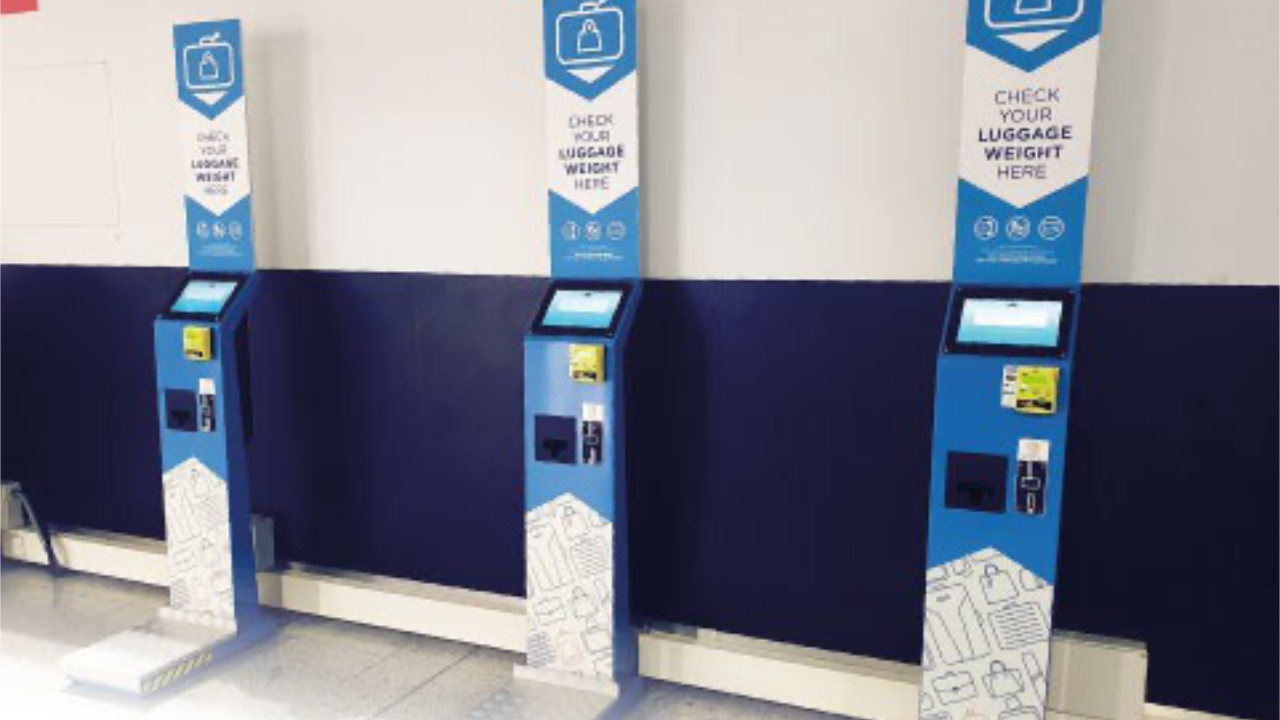
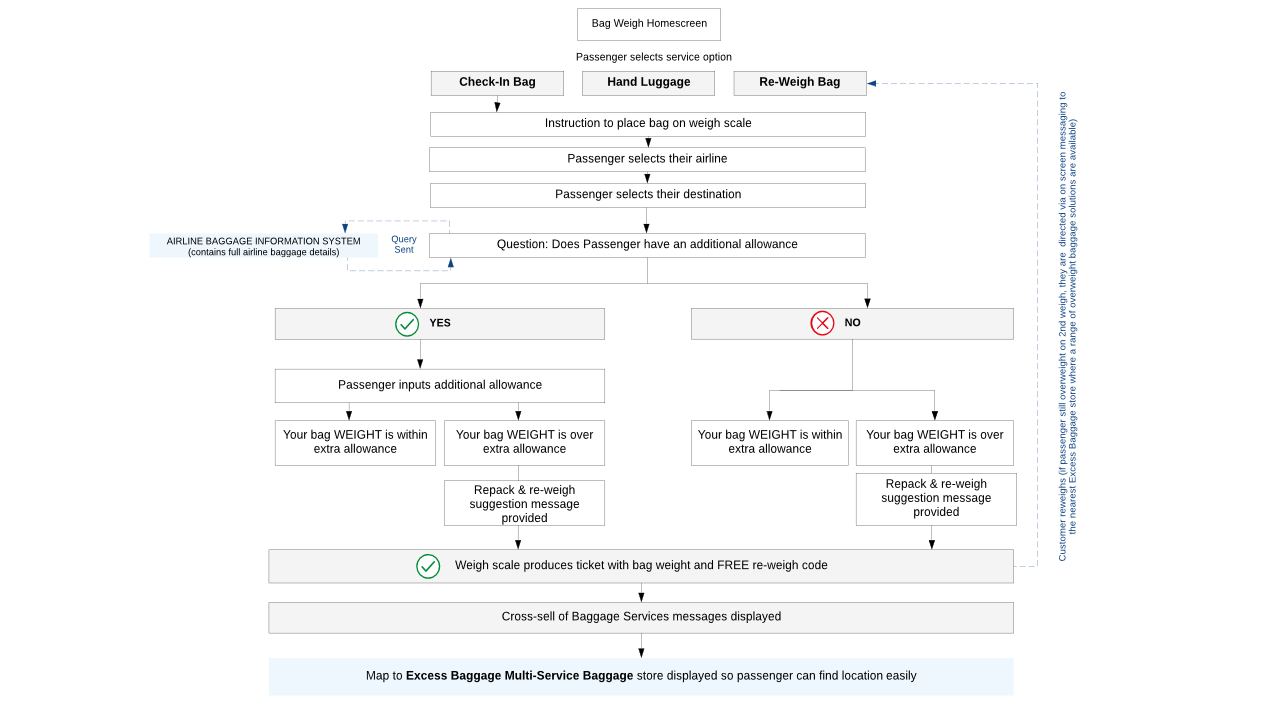
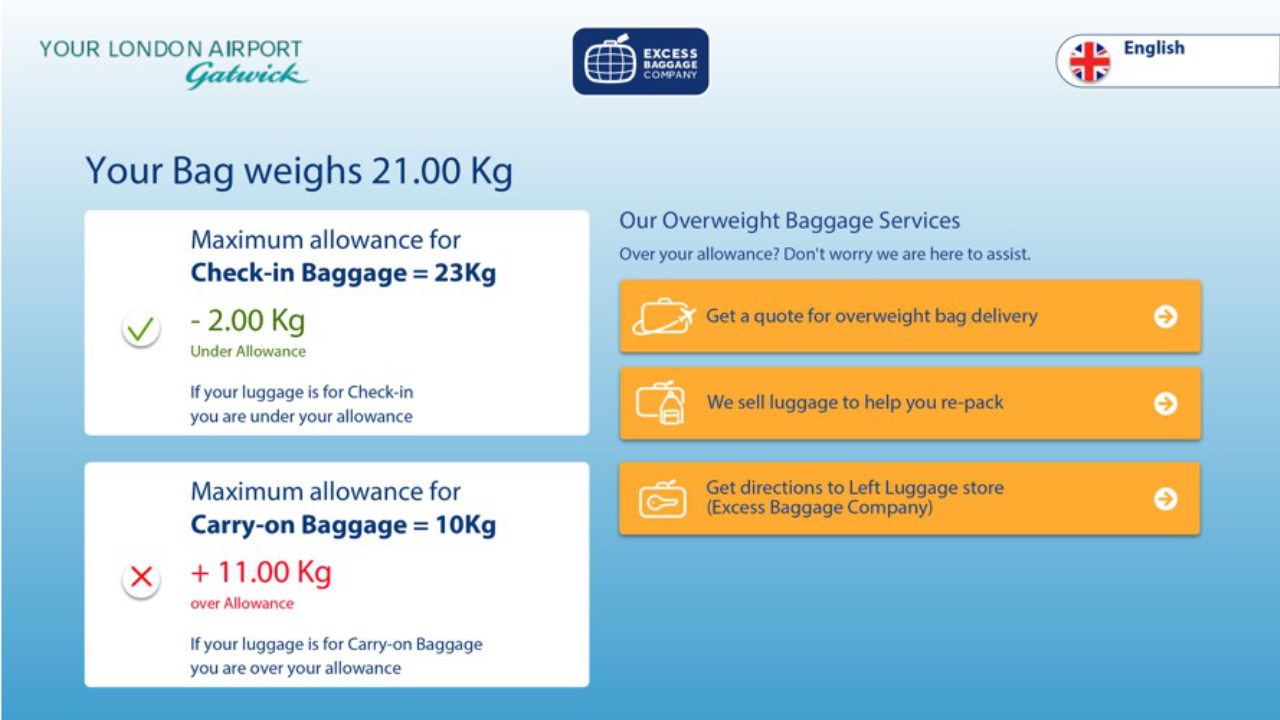
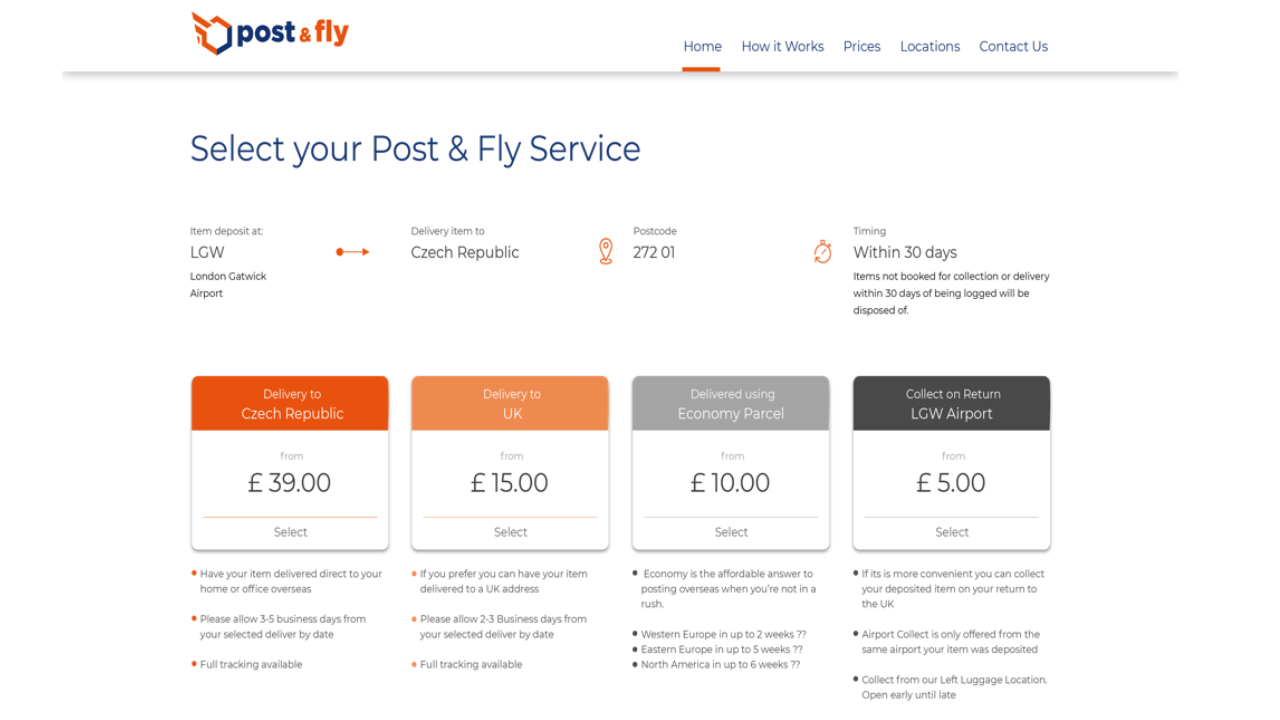
    At departure counters, passengers often arrive already having checked price and options online. They have scanned the available durations, noted wrapping and insurance, and assessed costs. The digital interface suggests a linear sequence: review, select, confirm. But at the counter the sequence bends. Clarification comes first. Duration is recalculated. Delivery timing is reconsidered. The value of protective services is weighed again. And then, just before the bag is placed on the machine, hesitation.

    That hesitation clusters before the physical act.

    Ethnographic research in user experience (UX), as defined by the Nielsen Norman Group, is about observing behaviour in its natural context rather than relying solely on what users say they do or what flows imply. In airport service environments, context matters: time pressure is visible; security procedures are fixed; staffed service counters replace lockers; and multiple services — storage, wrapping, shipping, insurance — converge at one physical point. The staffed desk is not a digital endpoint. It is a risk-resolution point.

    The website communicates cost.
    The counter resolves uncertainty.
    The machine enacts commitment.

    Booking sites for left luggage and carry-on services present multiple options — storage, wrapping, insurance — often at similar navigational priority. That structure can imply a digital completion channel. What behaviour shows is different. Passengers use digital touchpoints primarily to validate price and orient themselves. They approach the counter to clarify details, adjust duration, and negotiate edge cases. Only when the bag is placed on the scale, fed through X-ray, or loaded into the wrapping apparatus does the decision crystallise into irreversible action.

    Research on airport self-service technologies shows that passengers’ use of automated systems such as check-in kiosks is influenced by how much they feel they still need human interaction and reassurance in the process. Some segments of travellers prefer staff assistance even when automated channels are available, which helps explain why digital adoption does not always map to digital completion. Studies that examine the factors influencing the use of self-service technology in airports find that the need for human interaction remains a significant influence on whether and how passengers engage with automated options. 

    In service design, this makes a difference. A blueprint might assume that digital confirmation equals commitment. Observation shows the opposite: commitment happens at the physical threshold. Before that, price, duration, and risk are recomputed in dialogue with staff. After the bag crosses the counter or machine, negotiation stops and the service begins.

    Designing space or procedures around the assumption that commitment happens online risks misalignment. Information may be staged too late. Staff may be positioned as transaction processors rather than clarification agents. Queues may be treated as simple friction, rather than visible negotiation under constraints. Digital abandonment may be misinterpreted as failure, when in fact it may be expected pre-counter validation under tension.

    Ethnographic observation reframes the system by locating the true decision point in a service ecology and aligning design choices to it. In departure environments, that decisive moment is not a click. It is the instant the passenger — under time pressure, risk awareness, and social negotiation — lets go of the bag.